Menus

On this page

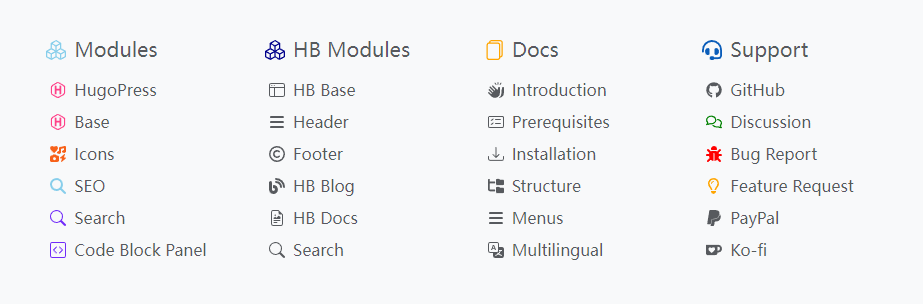
This article describes how to configure the footer’s menus.
As the image shown, the footer’s menus has two levels.
Menus Set Identifier
The footer is taken as the footer’s menus set identifier.
Footer Menu Entry Params
| Parameter | Type | Description |
|---|---|---|
icon | object | The icon parameters. |
icon.vendor | string | The icon’s vendor,required. |
icon.name | string | The icon’s name, required. |
icon.color | string | The icon’s color. |
See also Menus Configuration.
Example

The example above use the Bootstrap icons, if the icons do not show up, please check if you’ve installed/imported the following module.
hugo.toml
1[module]
2[[module.imports]]
3  path = 'github.com/razonyang/hugo-mod-icons/vendors/bootstrap'
hugo.yaml
1module:
2  imports:
3  - path: github.com/razonyang/hugo-mod-icons/vendors/bootstrap
hugo.json
1{
2   "module": {
3      "imports": [
4         {
5            "path": "github.com/razonyang/hugo-mod-icons/vendors/bootstrap"
6         }
7      ]
8   }
9}
The Bootstrap icons and other icons vendors can be found on Hugo Icons Module.